
As 2025 comes to a close, it’s the perfect moment to look back on a year defined by momentum, innovation, and meaningful impact. Nonprofits across the country continued to move their missions forward—raising crucial funds, engaging volunteers, expanding programs, and strengthening their communities. Behind the scenes, teams navigated the daily work of donor engagement, event management, volunteer coordination, reporting, and communications. And throughout the year, Giveffect introduced a number of enhancements to make that work smoother, faster, and more efficient—all of them shaped directly by conversations with our customers.
This year alone, we rolled out dozens of new tools and improvements designed to help your organization save time, elevate supporter experiences, and streamline internal processes. Whether you were processing donations, managing an event, organizing volunteers, or building better donor journeys, each update was guided by real-world use cases and feedback from the organizations using Giveffect every day. Now, as we wrap up the year, we’re excited to look back at 10 memorable product updates from 2025.
1. Tap-2-Pay for Android Devices
One of our biggest advancements this year was expanding Tap-2-Pay support to Android devices. This feature gives organizations a smoother, more flexible point-of-sale option that helps increase contributions at events, storefronts, and community fundraisers. Donors can now tap their cards or digital wallets directly on compatible Android devices, eliminating the need for additional hardware. The result: faster lines, better donor experiences, and fewer barriers to giving.
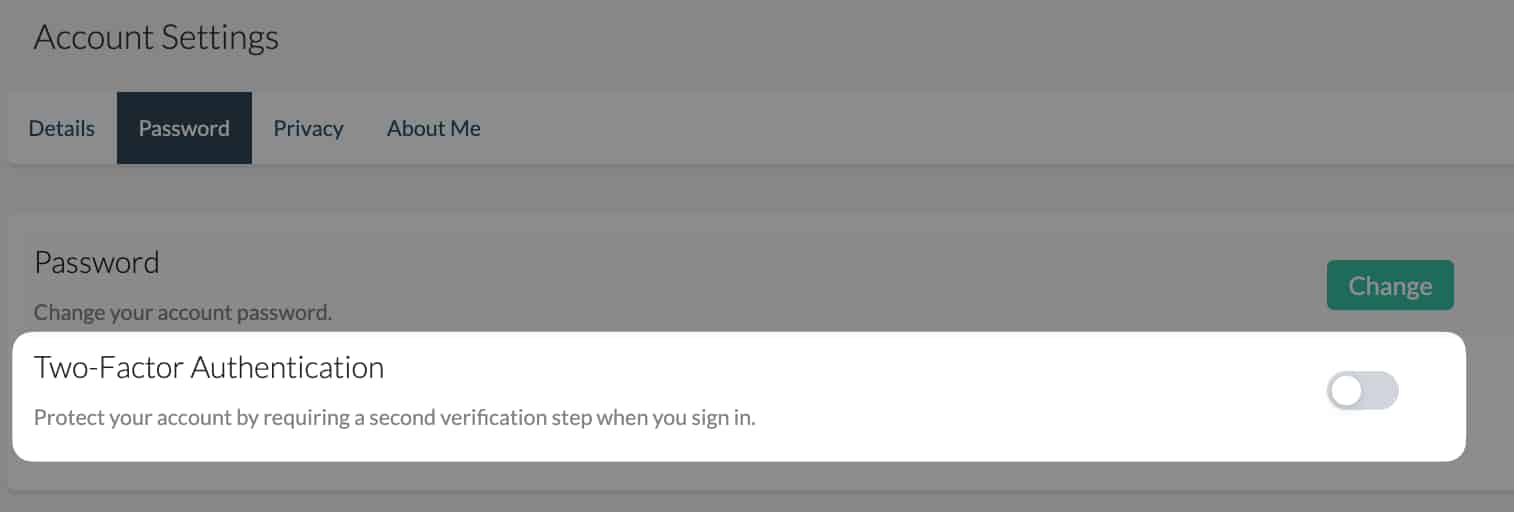
2. Two-Factor Authentication
Keeping your data secure remains a top priority, and this year we introduced two-factor authentication (2FA) to strengthen account protection. This extra layer of security ensures that only authorized users can access your system, significantly reducing risk. For teams handling sensitive donor information, volunteer records, or financial transactions, 2FA adds peace of mind and helps organizations uphold data-protection best practices.
3. Embedded Pop-Up Form
To help nonprofits capture more donations where supporters are already engaged—on their own websites—we unveiled a customizable embedded pop-up form. This tool allows you to gather contributions and supporter information without directing donors to a separate page. Whether you’re running a campaign, sharing a story, or hosting an event page, this pop-up helps reduce friction and boost conversion rates.
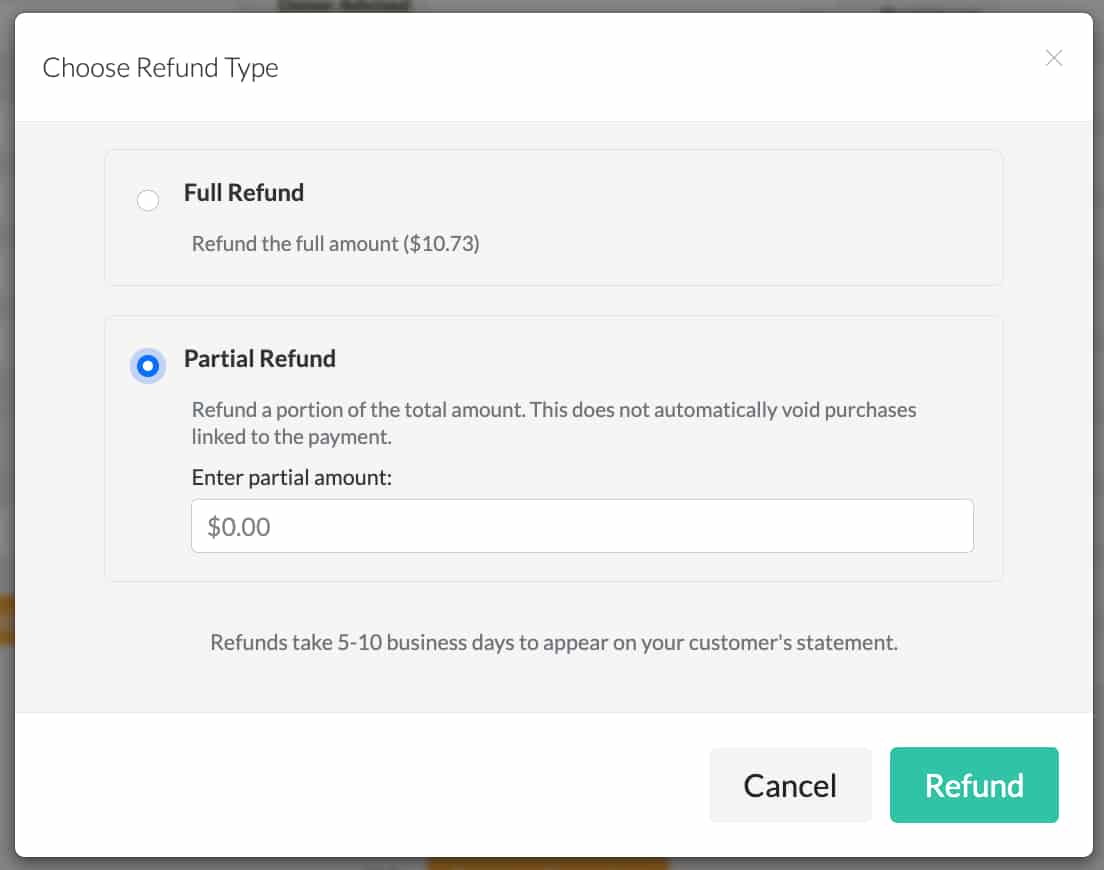
4. Partial Refunds
Many organizations expressed the need for more flexibility when managing refunds, so this year we introduced partial refund capabilities. Now you can easily process partial refunds for donations, event tickets, and other payments. This small but powerful improvement streamlines customer service, helps correct errors, and allows you to respond more precisely to supporter requests. It’s also incredibly useful for adjusting ticket purchases, correcting duplicate charges, or updating donor intent.
5. Payment Itemization
Accurate reporting is essential for finance teams, and payment itemization brings greater transparency to every transaction. With this update, you can break down payments by line item in tax receipts to see exactly how each dollar is allocated. This helps with reconciliation, donor acknowledgments, and campaign analysis. Whether you’re tracking tickets, fees, or products within a single payment, itemization makes financial management clearer and more reliable.
6. Manage Tickets Link
Event management received several enhancements this year, including a streamlined process for supporters who purchase ticket bundles. Buyers now receive a “manage tickets” link in their thank-you email, allowing them to assign, edit, or update their own tickets. This reduces the manual work nonprofits previously had to handle—freeing up your staff to focus on engagement, logistics, and event-day success. It’s a small change with a big impact on both efficiency and attendee experience.
7. Simultaneous Entry of Tickets & Offline Donation Records
Another long-requested improvement arrived this year: the ability to enter offline event tickets and associated donations simultaneously. With the new workflow, you can complete everything in a single action. This upgrade dramatically cuts down on administrative time and ensures cleaner, more consistent records.
8. Supporter Wishlist for Auction Items
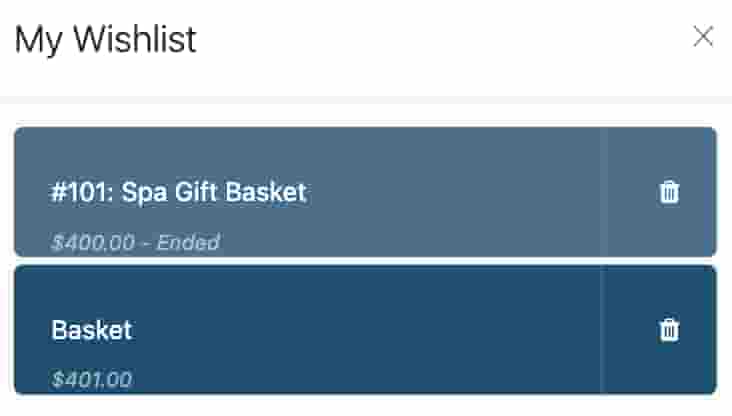
Auction events continue to be a major fundraising driver, and this year we added a fun and highly requested feature to the Mobile Bidder App: supporter wishlists. Donors can now “favorite” auction items, making it easy to revisit the pieces they care about most. This leads to more bidding activity, higher engagement, and a smoother experience for attendees, especially during busy or competitive auctions. It’s a simple way to make fundraising events more personalized and interactive.
9. Batch Entry of Volunteer Assignments
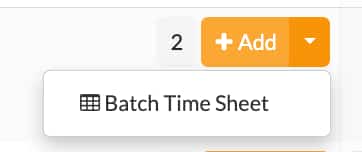
Volunteer coordinators know how time-consuming it can be to manage offline assignments one by one. To lighten that load, we introduced batch entry for volunteer assignments. With this update, you can enter multiple offline assignments at the same time, saving hours of administrative work during large events or high-volume seasons. Whether you’re scheduling shifts for holiday programs, runs/walks, or ongoing community services, batch entry keeps everything moving quickly and accurately.
10. Terminate Journeys in Workflow Automation
Finally, we added the ability to terminate journeys within Workflow Automation, which is a crucial improvement for teams that rely on automated communication. Now you can stop a donor or volunteer from continuing through an automated series once they complete an action, such as making a donation. For example, if a supporter donates after receiving the second email in a four-part series, you can automatically pull them out to avoid redundant messaging. This helps maintain respectful communication and ensures a more thoughtful supporter experience.
As we look back on these updates, we’re proud of the progress made, not only within the Giveffect platform but across the nonprofit sector as a whole. This year brought growth, creativity, and resilience, and we were honored to play a small part in supporting the extraordinary work you do each day.
Thank you to every organization that shared feedback, tested new features, and pushed us to keep improving. Your ideas and experiences directly shape the tools we build. Here’s to carrying this momentum into 2026 and continuing to innovate in ways that help you deepen your impact and strengthen your mission.
Ready to see how these updates can streamline your work in 2026? Book a strategy call and get personalized guidance for your organization.